
Use quizzes and practice
Answer interactive questions, interpret grading, and use flashcards for honest recall practice.
On this page
Ask for practice that targets a gap
Tell Keating the topic and what you want to test. For example: Quiz me on the Krebs cycle. Ask questions that test deeper understanding, then help me revisit the parts I miss. For a shorter check, ask one question at a time and explain your reasoning.
Questions may ask you to choose an answer, choose several answers, fill blanks, arrange items, or write an explanation. Follow the instructions on the current activity; a text explanation needs different review from a choice with a supplied answer key.
Answer, flag, and review before submitting
In an interactive chat quiz, use Next to move forward and Previous question to return. Flag for review marks a question you want to revisit. Skip records that you are leaving it unanswered. Review opens the answer list, where you can return to a question before choosing Submit quiz.
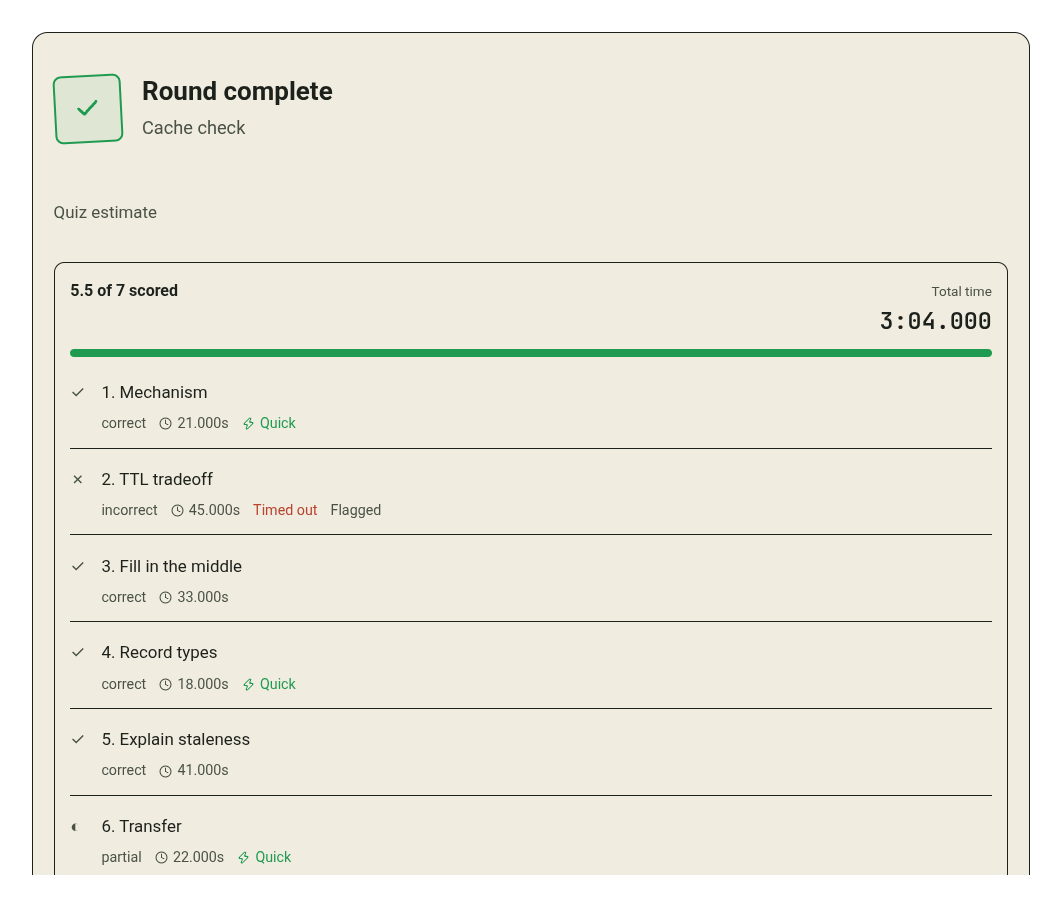
Answer or skip every question to submit. If the quiz has a timer, running out of time advances to the next question and keeps the answer already entered. You can return and answer the timed-out question. A Quick marker describes timing; accuracy is scored separately.
Read the score and the grading status together
Questions with a usable objective check can be scored immediately. Open-ended answers wait for the tutor model to grade them. Awaiting your teacher's review and awaiting grading refer to this pending model feedback; they do not mean a human teacher has reviewed your work.
The summary counts answers that have been scored and keeps pending answers separate until a grade arrives. Open Your answers to revisit what you submitted. If feedback is unclear, ask Keating to explain the specific step behind its correct, partial, or incorrect verdict.
Understand independently checked maths
For supported structured arithmetic and single-variable linear equations, Keating can compute an exact result separately from the model and compare your numeric answer with it. This checks the represented problem and final answer; it does not independently verify every explanation or proof in the conversation.
If a problem or answer format is outside the checker's supported range, continue answering normally. Unsupported maths may receive a model verdict while keeping Not independently checked beside it. An unsupported check is not an automatic incorrect answer.
For a supported numeric problem, try a plain number or fraction if your answer was not understood. For a proof, a more general equation, or another unsupported problem, include your reasoning and ask for model review. Keep the distinction between that feedback and independent verification visible.
Rate flashcards by what you recalled
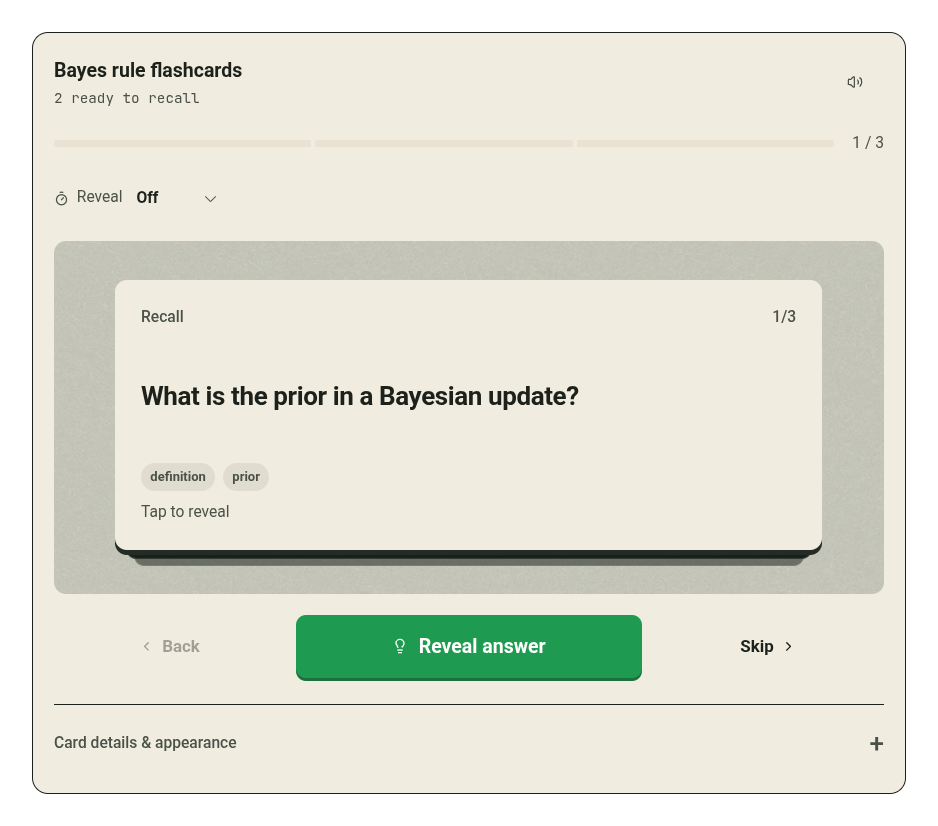
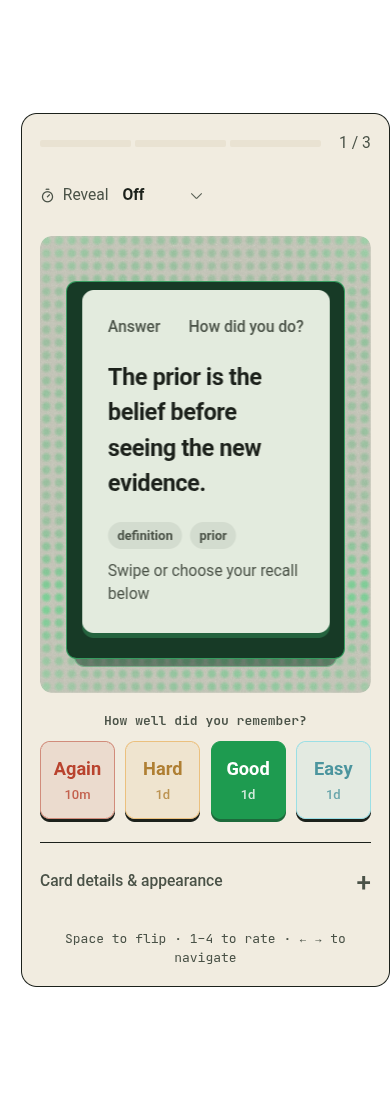
Try to recall the answer before choosing Reveal answer or turning the card over. Then choose Again if you missed it, Hard if recall was strained, Good if you recalled it, or Easy if it was immediate. Your rating helps schedule the card's next review.
Use Coming up to find cards that are due. Start due review works through due cards, while Review this deck focuses on one deck. Rate the recall you actually managed, rather than how familiar the answer looks after revealing it.
Recover a quiz or answer that did not save
If completion could not be delivered, the activity may offer Retry save quiz, Retry save answers, or Retry save deck. Use the retry control after restoring the connection or provider access. Keep the activity open while recovering the saved attempt.
If the activity itself cannot be displayed, use Retry interaction when offered. You can also tell Keating which question failed and ask for a simpler presentation. A broken activity display or a pending grade does not establish that your answer was incorrect.