
Learn with Keating
Turn a topic into a lesson, explain your thinking, and decide what to practice next.
On this page
Start with something you want to be able to do
Open chat and describe your goal, what you already know, and where you get stuck. A concrete goal gives Keating more to work with than a subject name alone. You can ask for an explanation, a lesson plan, a concept map, a quiz, or flashcards in ordinary language.
For example: I understand fractions, but I get lost when solving equations. Help me solve a simple equation, then give me a new one to try without showing the answer.
Choose a useful first prompt
Copy one of these examples into chat and replace the subject with your own. They are starting points for a conversation; the response depends on your selected model.
- Learn: Teach me supply and demand using a familiar example. Ask me to predict what happens before explaining it.
- Plan: Plan four weeks of beginner machine learning study. Ask about my available time and maths background first.
- Map: Show me how probability, statistics, and linear algebra connect in data science.
- Explain back: Ask me to explain async/await from scratch, then help me find gaps in my explanation.
- Create practice: Make flashcards for the Spanish verb forms I keep confusing.
Work through the question before moving on
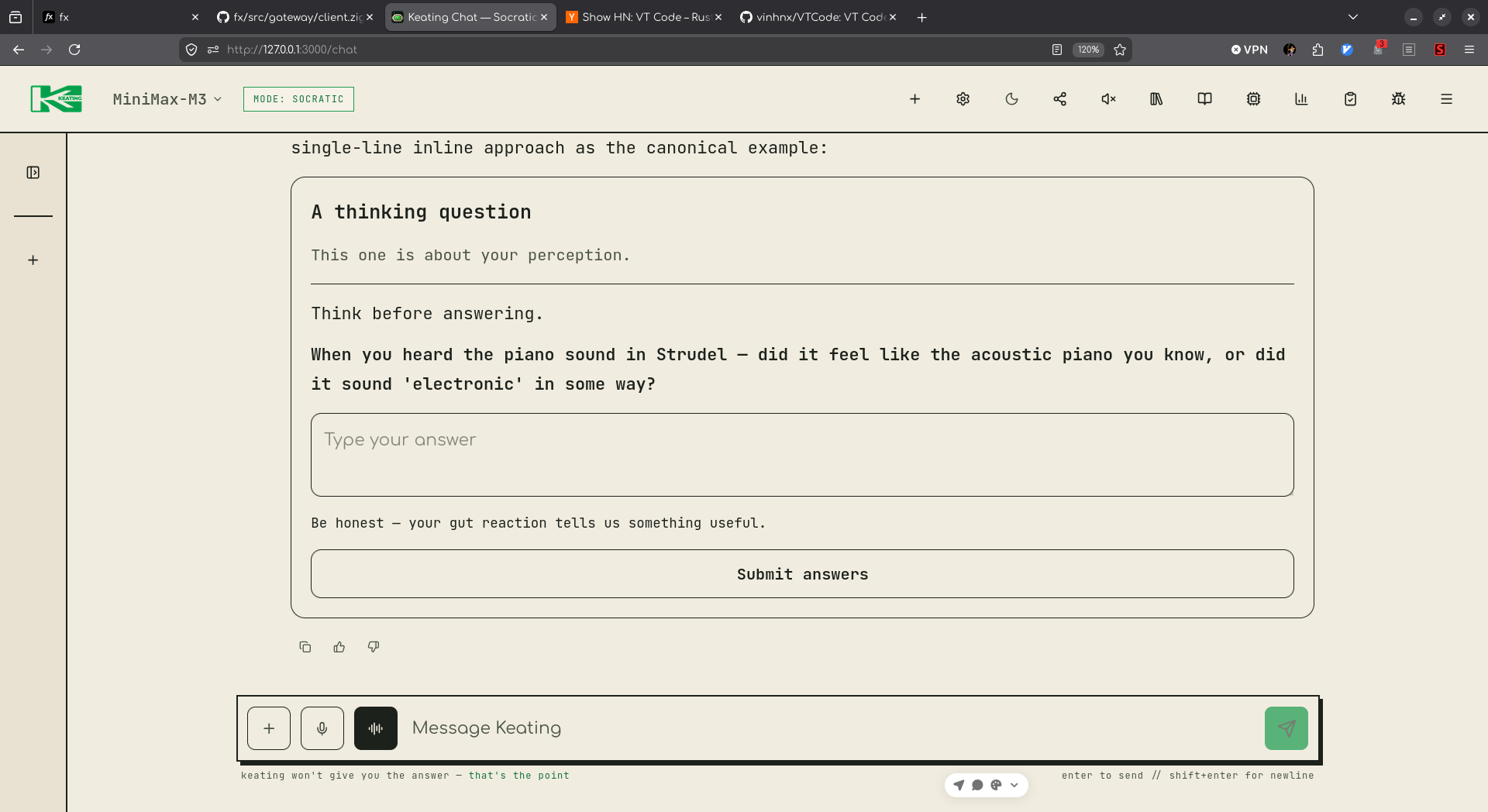
When Keating presents an interactive question, answer in that activity. A single question uses Send answer; a grouped check ends with Finish check. Explain the step you are unsure about instead of guessing what the tutor wants to hear.
If the explanation moves too quickly, ask for one smaller step, a different example, or a hint. If it feels familiar, ask for a new case that changes an assumption. Finish by explaining the idea without looking back, then compare your explanation with the lesson.
Tell Keating what helps you learn
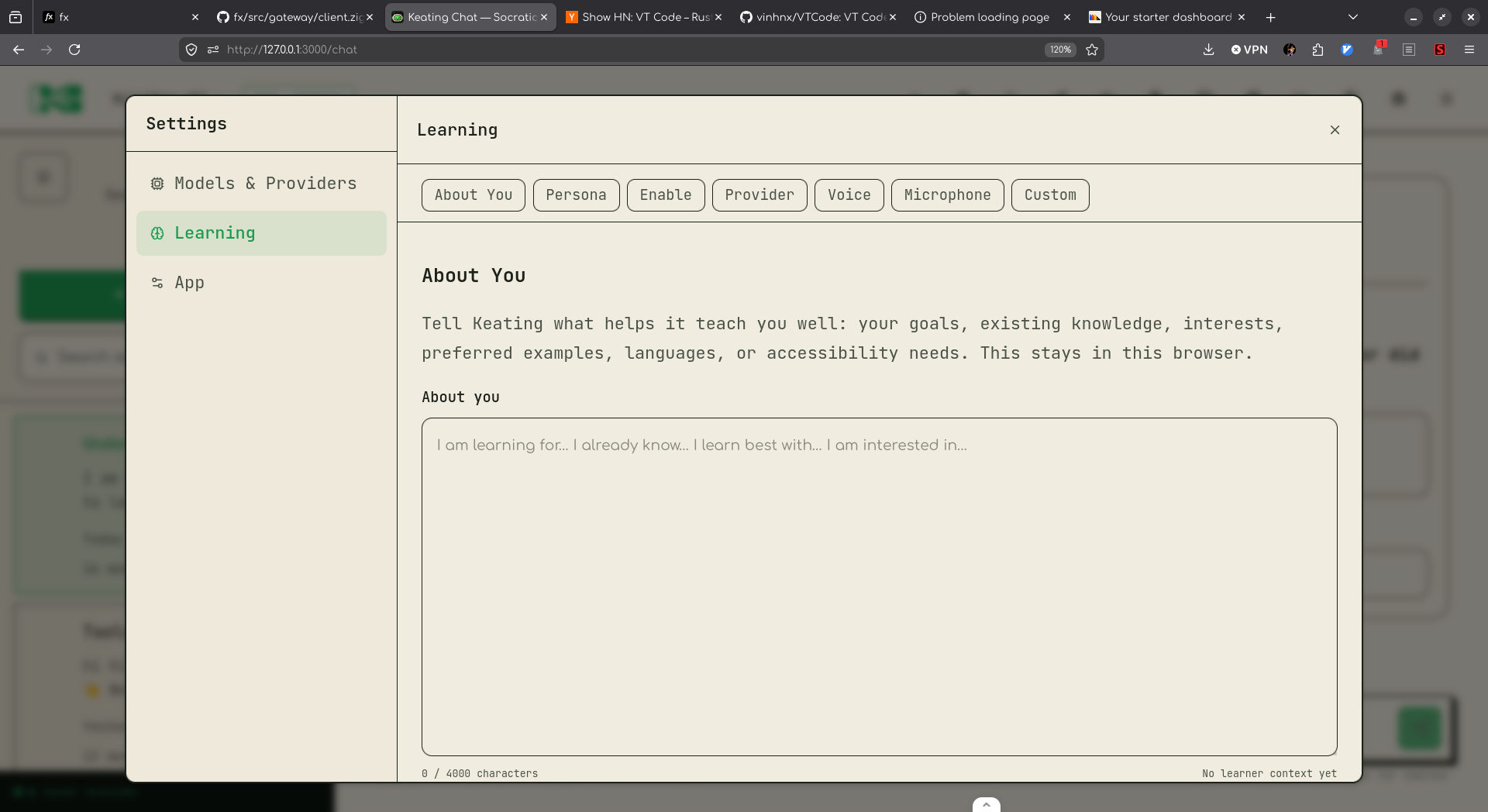
Open Settings, choose Learning, and find About You. Add useful context such as your goals, prior knowledge, preferred examples, languages, or accessibility needs, then choose Save about you. The saved setting lives in this browser and applies to the current conversation on your next message and to new sessions.
Learning also contains Teacher Persona and Speech & Voice. You can still steer any lesson directly in chat: ask for shorter explanations, less jargon, a visual example, or more time to work through a problem.
Check what the feedback actually establishes
A tutor explanation or model verdict is feedback to examine. Ask which step supports the conclusion and try the problem yourself. A generated answer key, a model review, and an independently computed mathematical result provide different kinds of evidence.
Some structured arithmetic and linear-equation answers can be checked by a separate exact calculator. Other mathematics can continue through the lesson and receive model feedback with the label Not independently checked. That label means the independent checker did not establish the result; it does not by itself mean your answer is wrong.
After a useful session, return later and try a fresh problem without the explanation in front of you. An encouraging response or a high quiz score alone does not establish that you will retain the idea or apply it elsewhere.